A promotional poster is built to sell something in a single glance, a sale, a launch, an event worth showing up for. Drop that same poster into a video-first feed, though, and it tends to just sit there quietly while actual video content moves past it and grabs attention instead. Image to video tools fix that problem directly, turning a flat promotional design into a short clip that competes on the same terms as everything else in the feed. Dreamina, powered by its most advanced video generation model, Seedance 2.5, gives marketers a fast way to make that shift without booking a full production cycle.
Why a glance was never quite enough
A poster’s message usually has to land in under a second, and in a feed full of moving content, a static image gets exactly that — one glance, if it’s lucky. Motion buys a promotional design a few extra seconds, which is often the difference between being scrolled past and actually being read closely enough to act on.
What separates a promo video that converts
A few things usually decide whether a promo video actually converts or just moves for its own sake. There’s typically a clear focal point, the offer or headline, that a viewer catches instantly rather than having to hunt for. The motion builds urgency without slipping into chaos. Branding stays consistent with whatever static version already exists elsewhere. And the whole thing moves fast enough to work in a feed where nobody’s slowing down to study it.
Turning your poster into a promo video with Dreamina
Step 1: Upload your poster and describe the motion
Log into Dreamina and find the “AI Video” section — “Add reference image” is what you’re after next. Bring in your promotional poster, then get specific information about the motion you want to see.
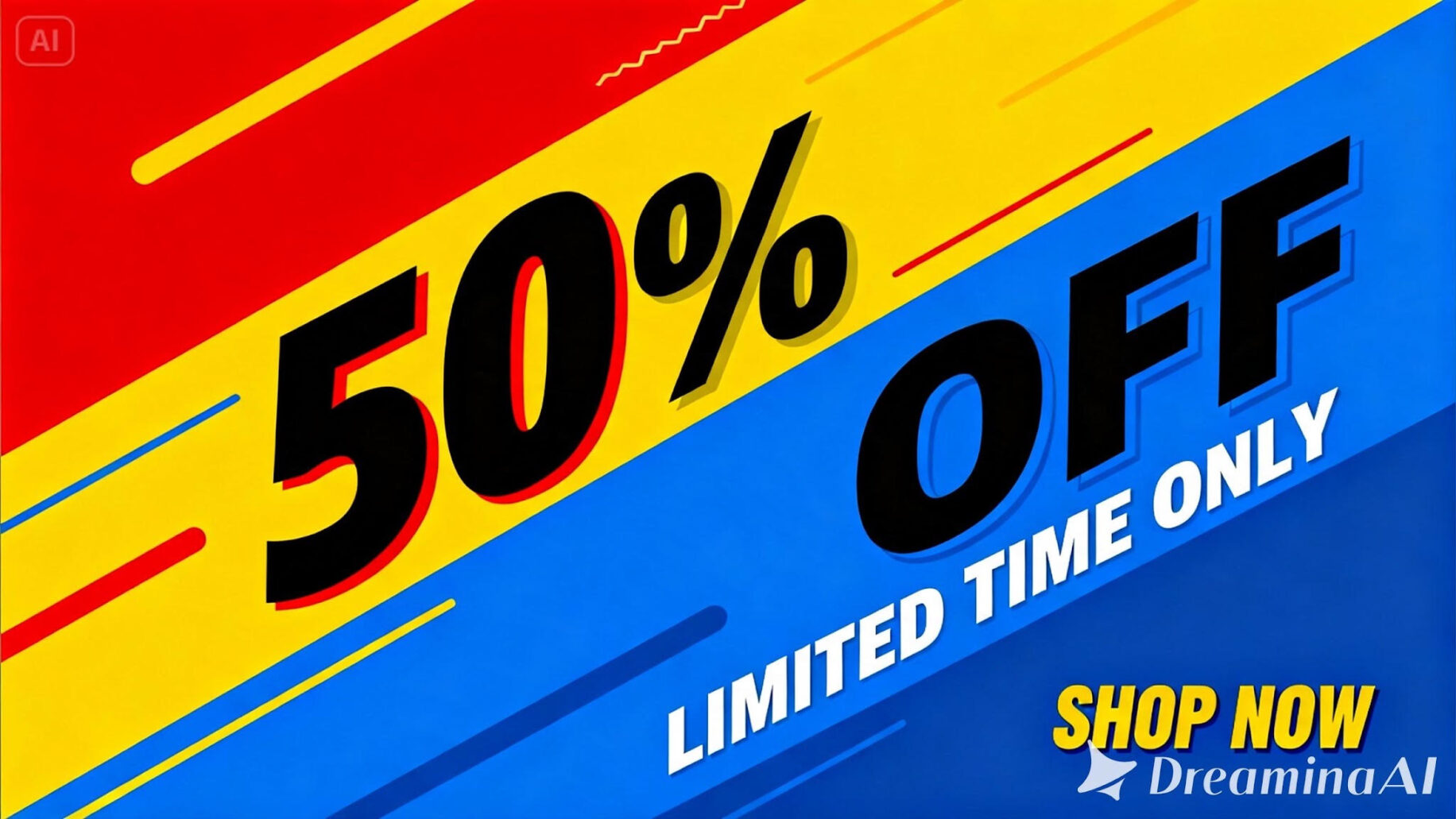
Here’s an example built for a 30-second clip: “Using this sale poster as reference, generate a 30-second video where the discount typography punches in with bold energy, background color shifts subtly with light bursts, and supporting text elements slide in cleanly in sequence throughout, ending on a clear call to action.”
Step 2: Generate with Seedance 2.5
Pick the Seedance 2.5 model, choose your video length, then select an aspect ratio — 9:16 for Stories and Reels, 1:1 for a feed post. Tap Dreamina’s generate icon and let the promotion take shape.
Step 3: Refine and export the finished video
Run it through Dreamina’s editing tools first. Upscale sharpens the typography, Generate Soundtrack adds an energetic layer, then export and push it live across your campaign channels.
What Seedance 2.5 brings to promotional motion
Seedance 2.5, Dreamina’s most advanced video generation model, is built for the fast-paced, attention-driven motion promotional content depends on.
Typography that survives fast movement
Comprehensive quality improvements keep bold typography and color sharp even through quick motion, which matters when a discount number needs to stay legible mid-animation.
Updates without starting over
Local editing lets a price, date, or offer detail get updated without regenerating the whole video — handy when a promotion’s terms shift close to launch.
A base that’s already campaign-ready
Stray subtitles and unwanted background audio are removed automatically, so the output drops straight into a media plan without extra cleanup.
One brief, several markets
Multimodal input support means brand guidelines and campaign copy can be fed in alongside the poster itself, and multilingual support makes running the same promotion across different regional markets far less of a hassle.
Planning for a campaign, not just one video
A single promotional poster can often be turned into several short variations rather than just one video — a version emphasizing the discount, another highlighting the deadline, another built around the product itself. Having a few variations ready makes it easier to A/B test which message resonates most with an audience, rather than committing an entire campaign’s budget to a single creative direction from the very first generation.
Writing prompts that keep the offer front and center
Say plainly which part of the poster should be the star of the show, usually the discount or headline, so the animation doesn’t end up burying that message under a pile of motion effects.
Choosing the right format for the campaign
A vertical format suits fast, scroll-stopping social ads, while a square version works better for a feed post that needs to stay consistent across a full campaign grid.
A few habits that weaken performance
Some choices tend to undercut an otherwise strong promotional video:
- Overloading the animation with too many moving elements competing for attention
- Losing legibility on key details like price or date once motion is added
- Skipping a clear closing moment or call to action at the end
- Motion that feels out of step with the rest of a brand’s campaign material
Where these promotional videos get the most use
Retail sales campaigns, product launches, seasonal promotions, and paid social advertising are where this format shows up most, since a poster that moves consistently earns stronger attention and click-through than a static version placed in the same spot.
A promotional poster was always trying to make an offer impossible to ignore. Seedance 2.5, running through Dreamina, is what finally gives it the tools to do that, competing on equal footing with everything else moving through the feed, without adding a single day to the campaign timeline.